Samizdat Publications / Canton, Ohio
GardenSync
A square-foot bed planner for a community kitchen garden. 77 plants with full companion and antagonist data, cross-indexed against Canton's Zone 6a frost dates — seven container types, a grow schedule built from what you actually planted, harvest tracking, volunteer assignment, and an AI assistant that can do the planting for you. No accounts, no server, no build step.
There is a sibling edition of this garden — A Quiet Almanac, the same agronomy rebuilt calm, on paper and ink (repo).
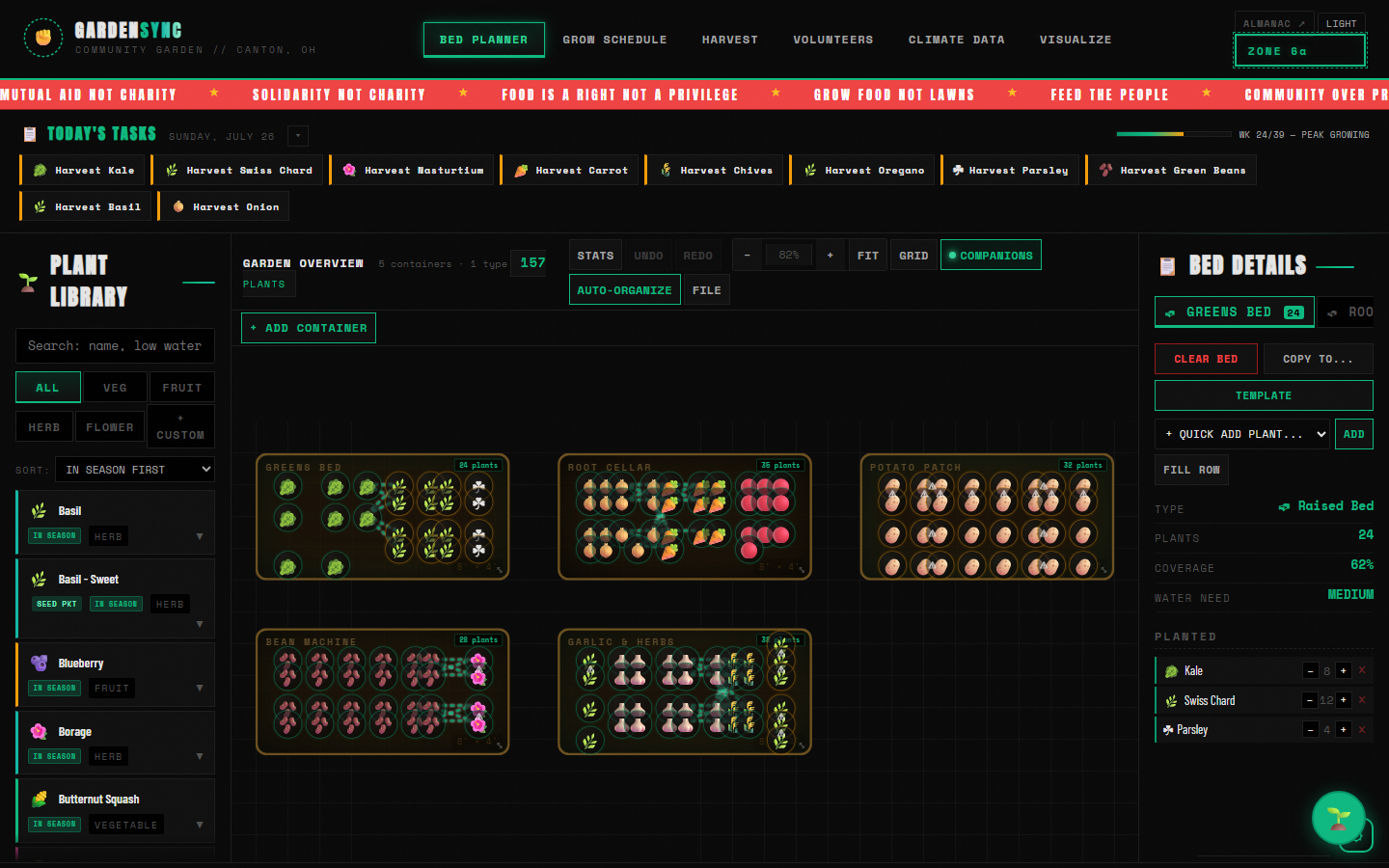
Six workspaces
One garden01
Bed Planner
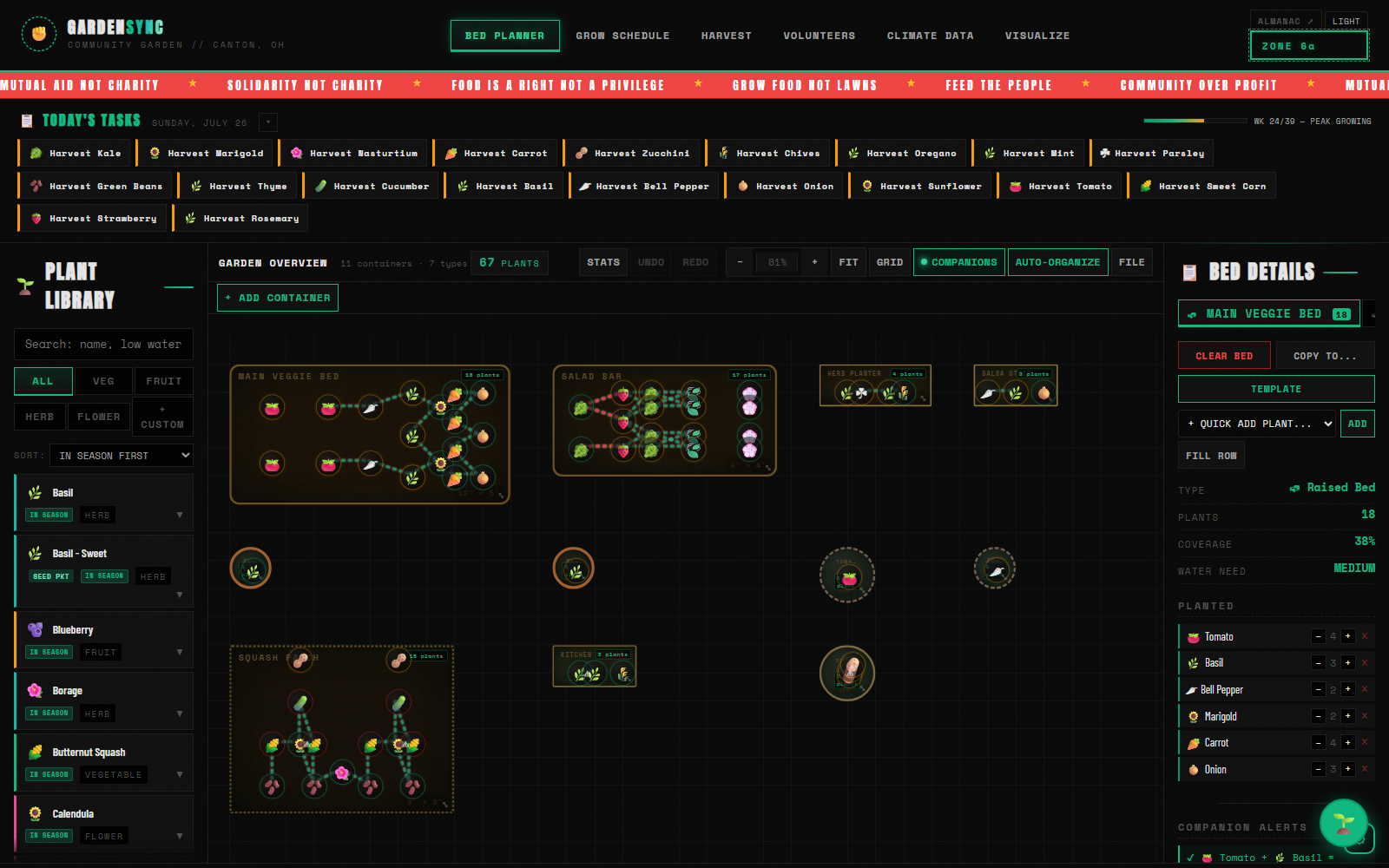
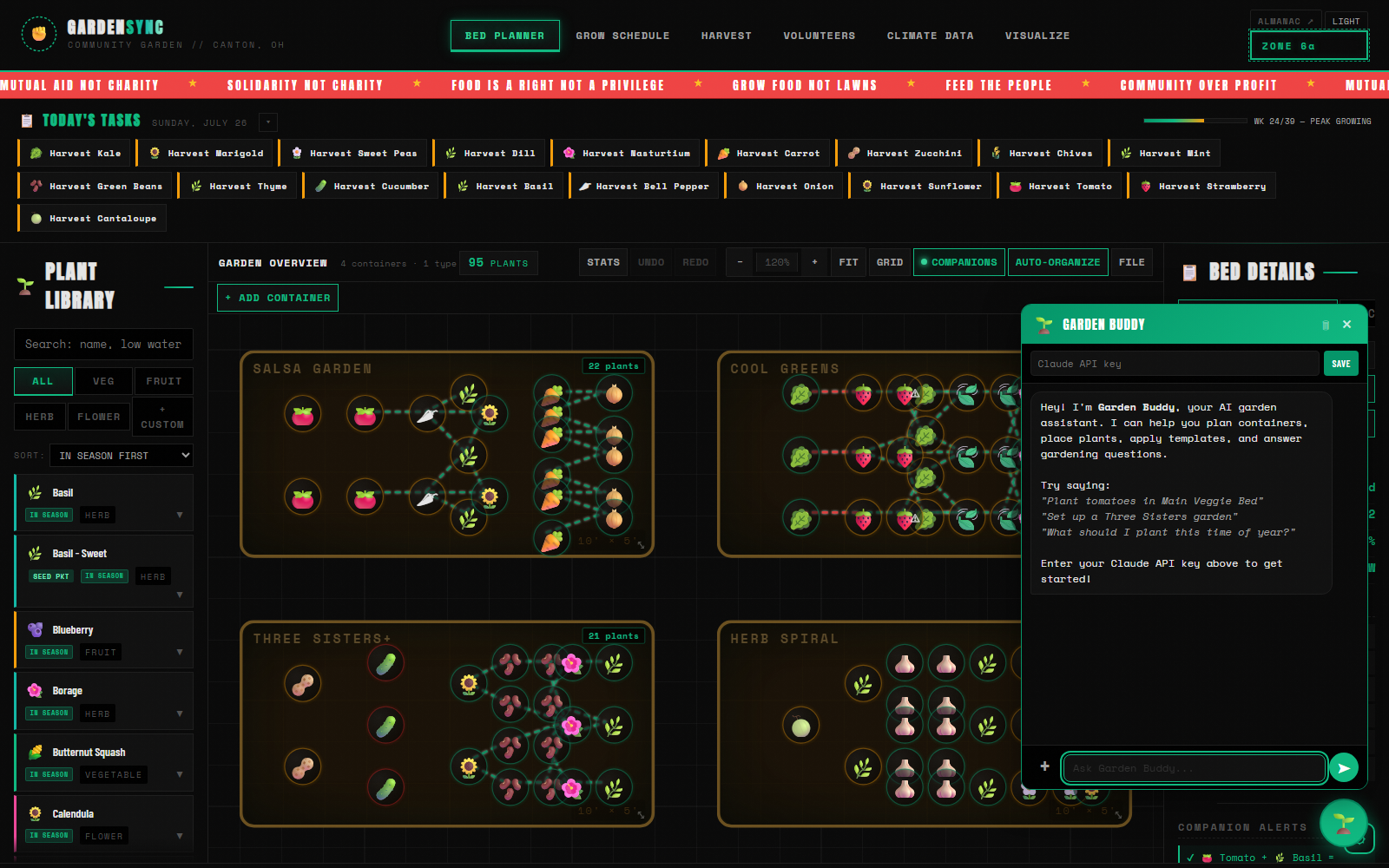
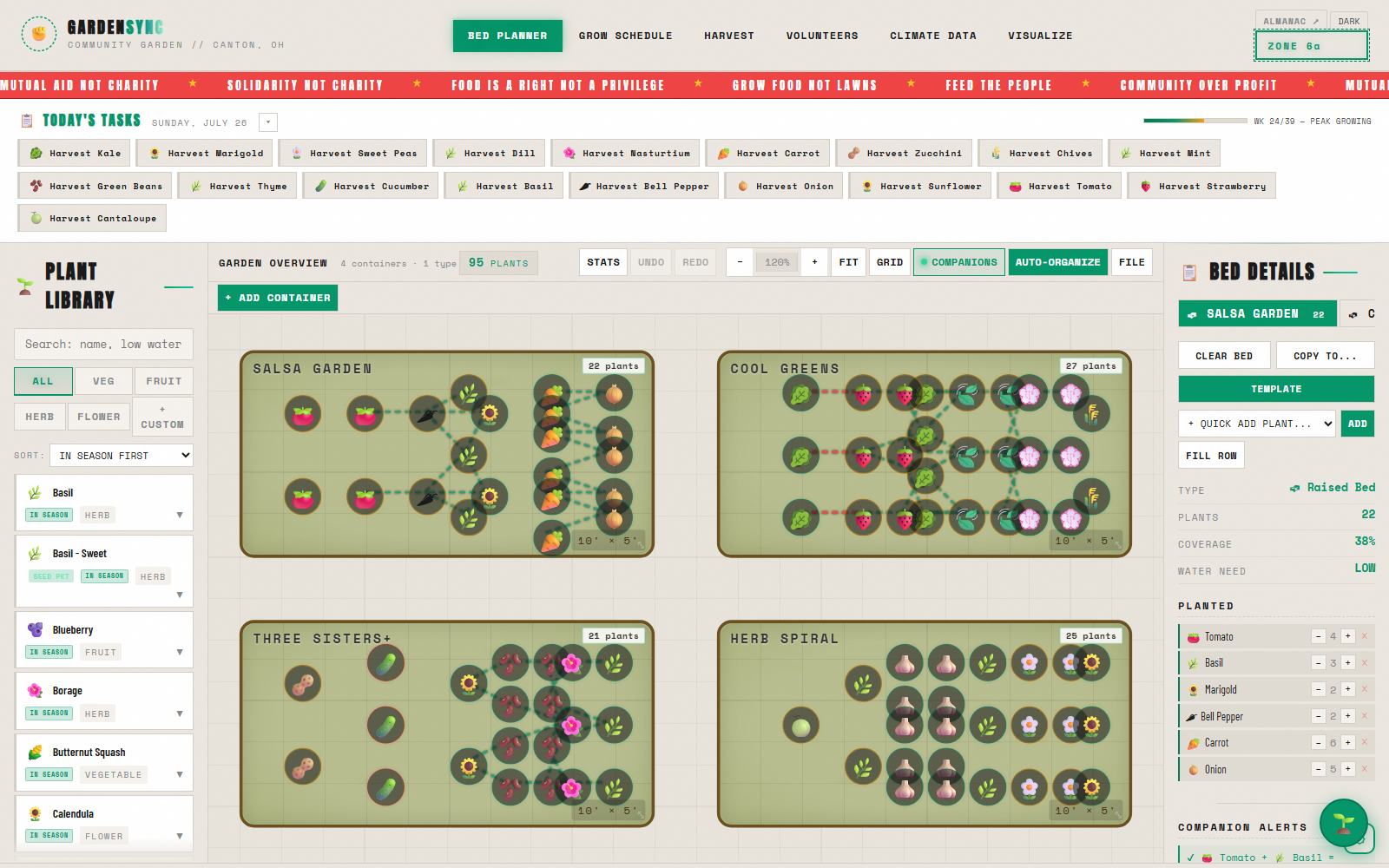
The canvas. Click a plant, click a square, and it lands on a 20px grid with spacing checked and companion threads drawn to its neighbours.
02
Grow Schedule
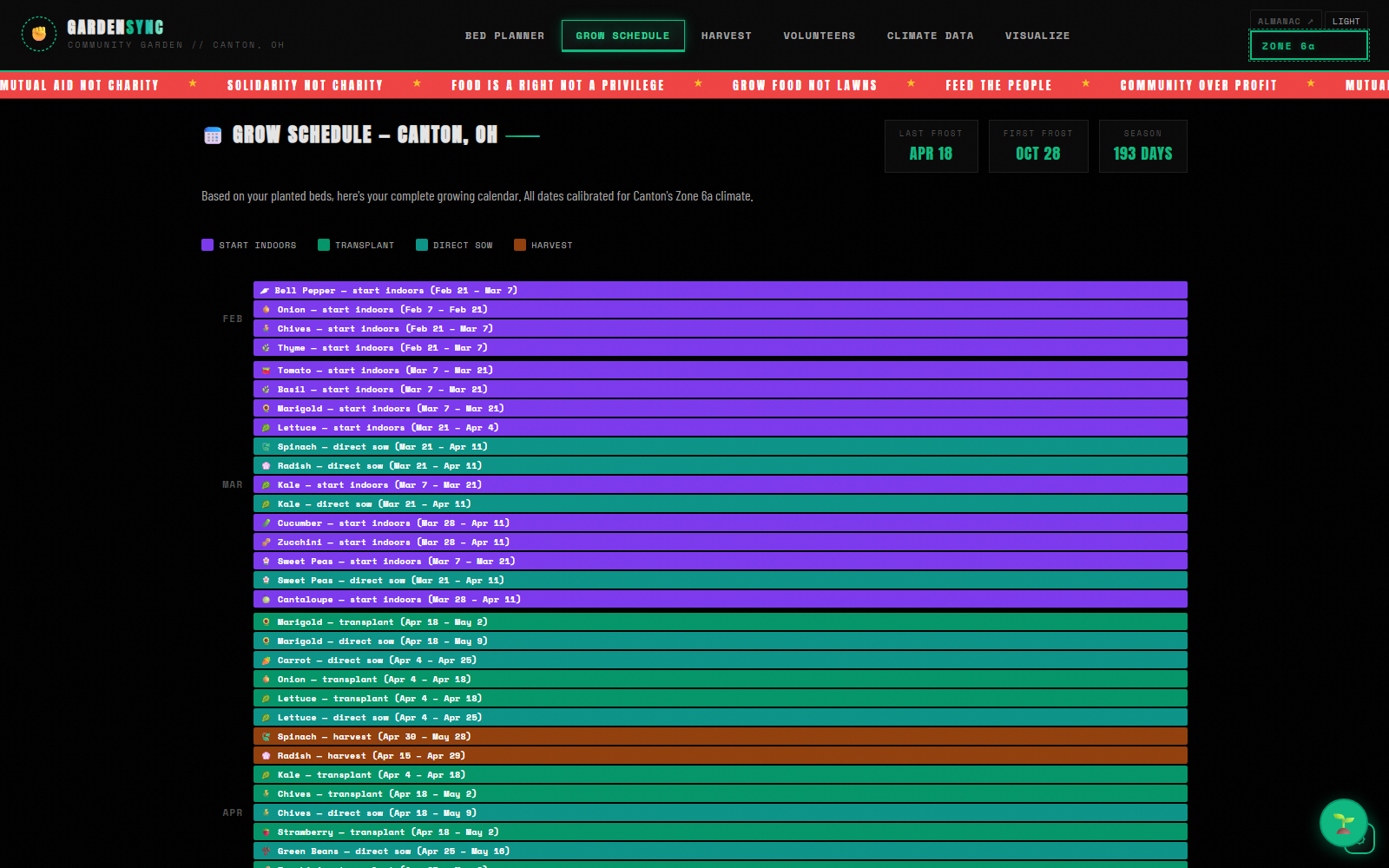
Every crop you placed, laid out across the year — start indoors, transplant, direct sow, harvest — calibrated to Canton's 193-day season.
03
Harvest
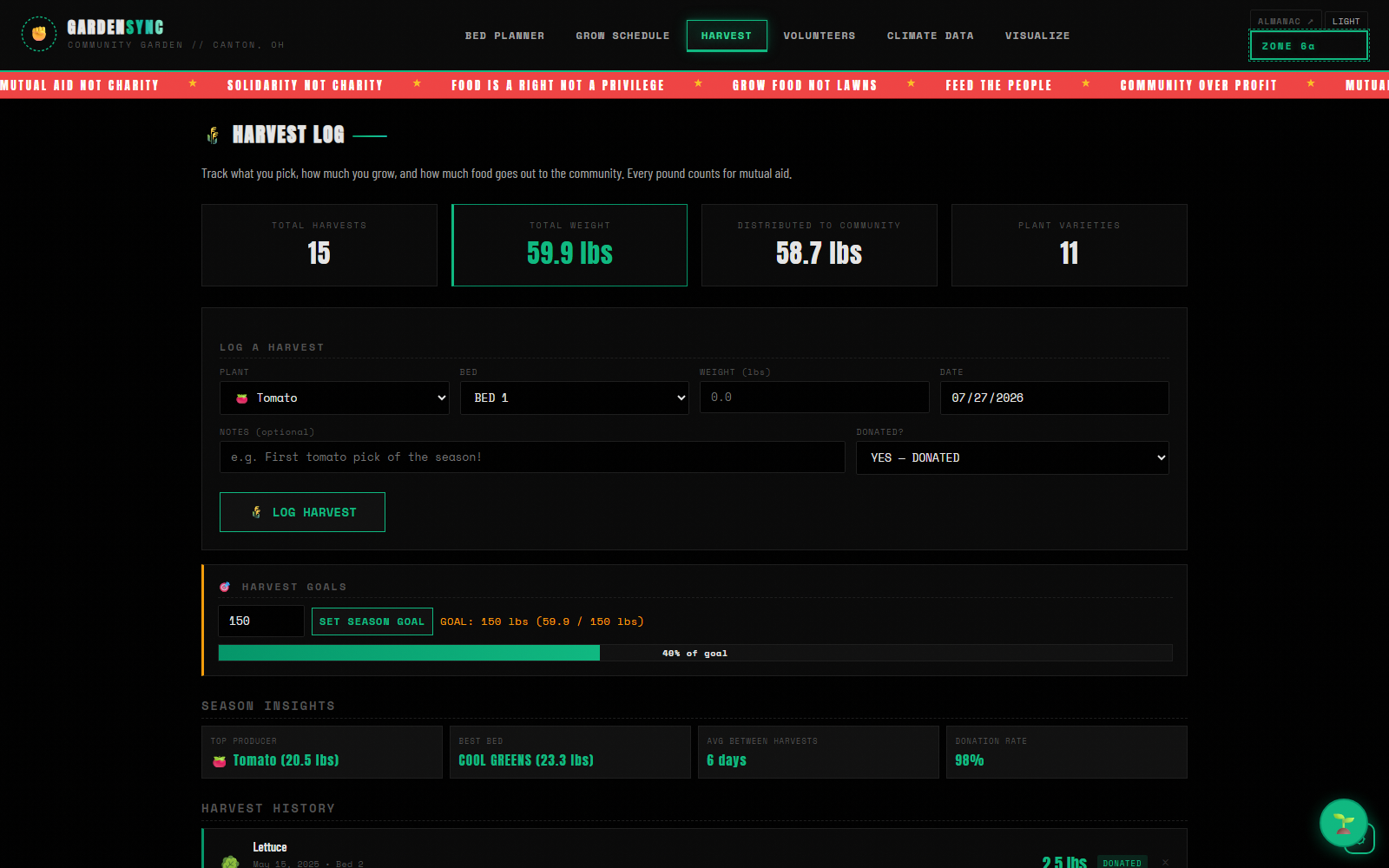
Pounds picked, per bed, per plant, with a flag for what went out to the community and a season goal bar that fills as the year runs.
04
Volunteers
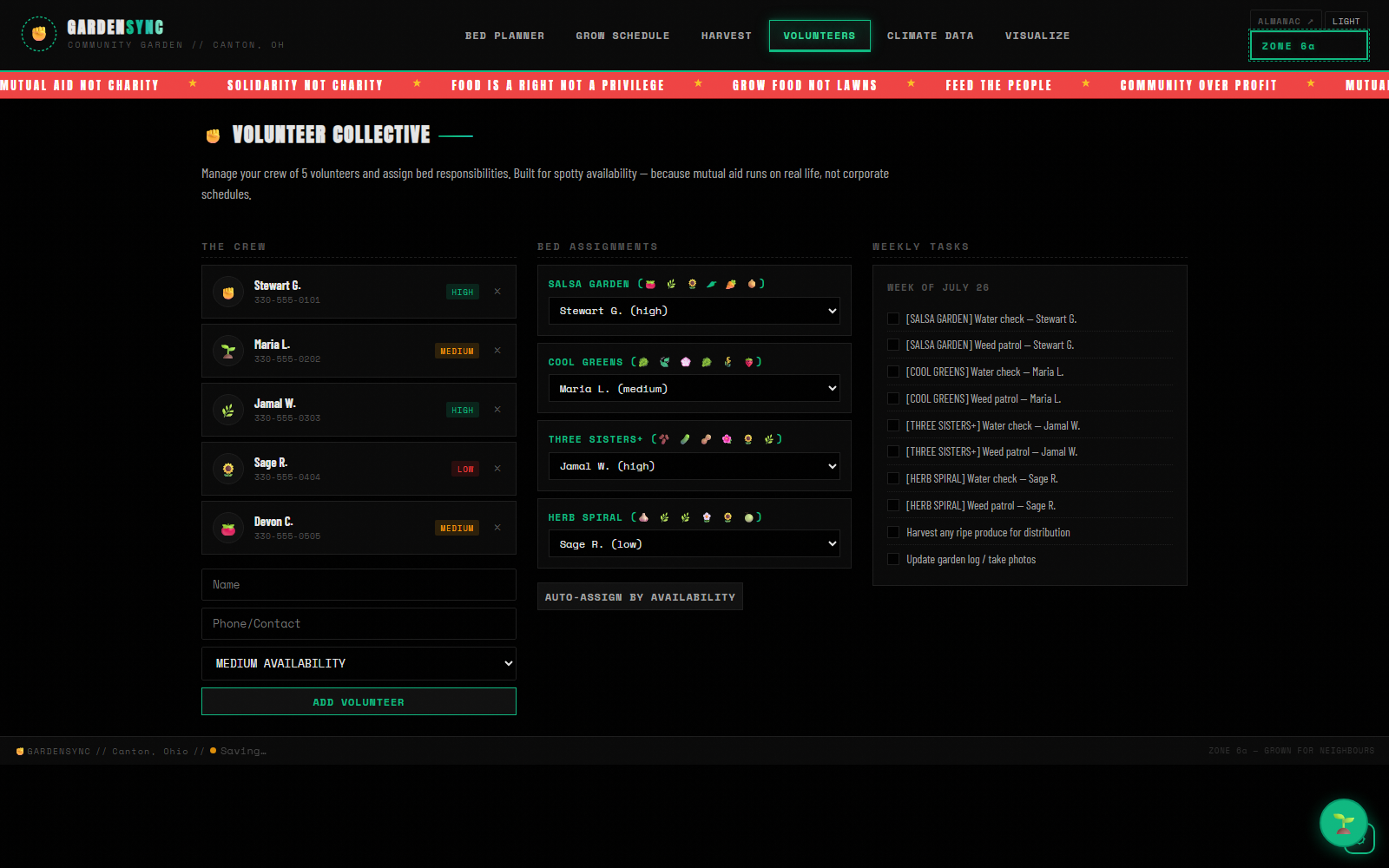
A crew rather than a staff roster: people, availability, bed assignments, and a weekly task list that generates itself from them.
05
Climate Data
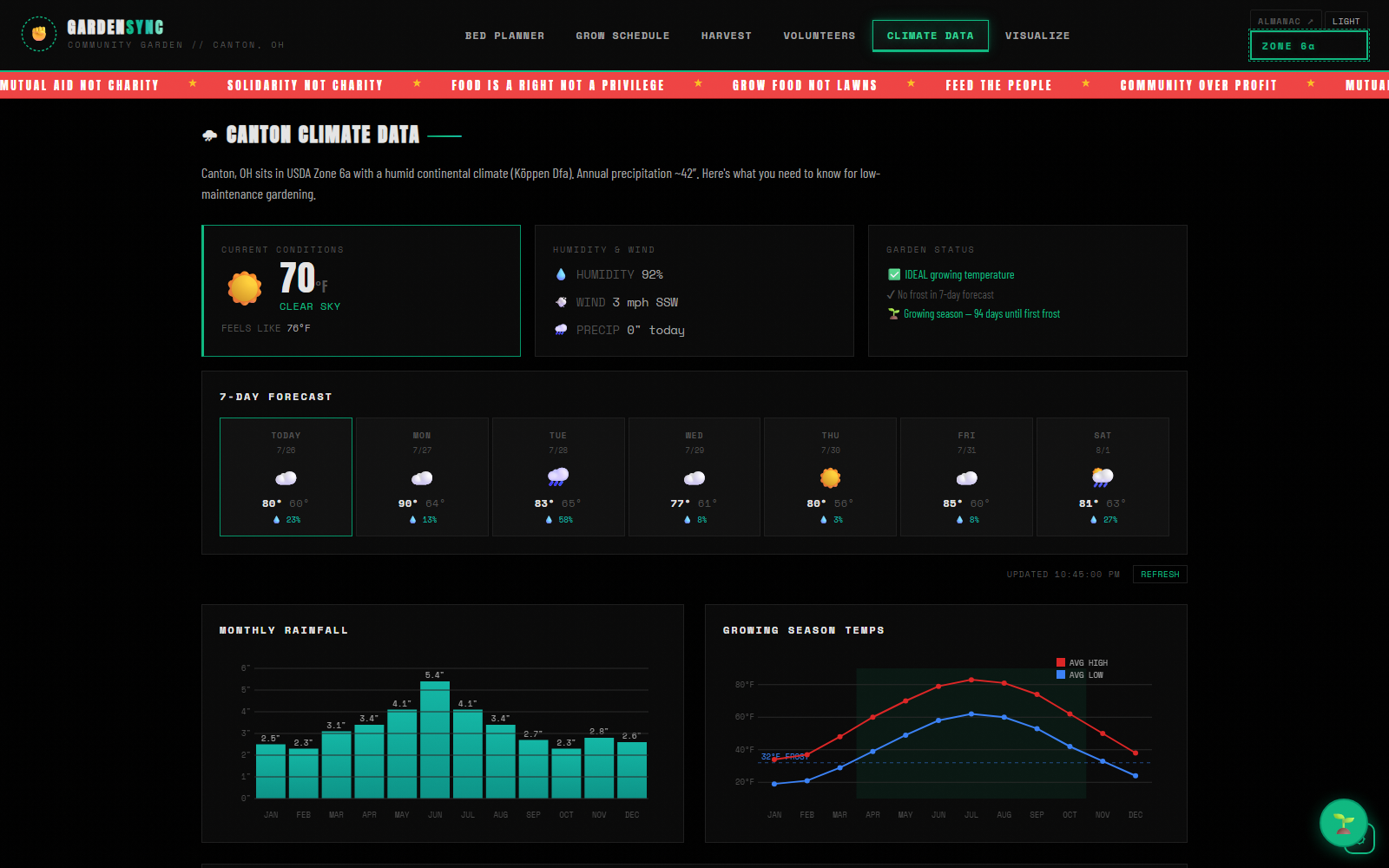
Live conditions and a 7-day forecast from Open-Meteo, plus Canton's rainfall and temperature curves drawn on canvas from the climate record.
06
Visualize
An optional mockup step — hand it a Gemini key and it renders what the beds you planned might actually look like standing in the ground.
Planning a bed
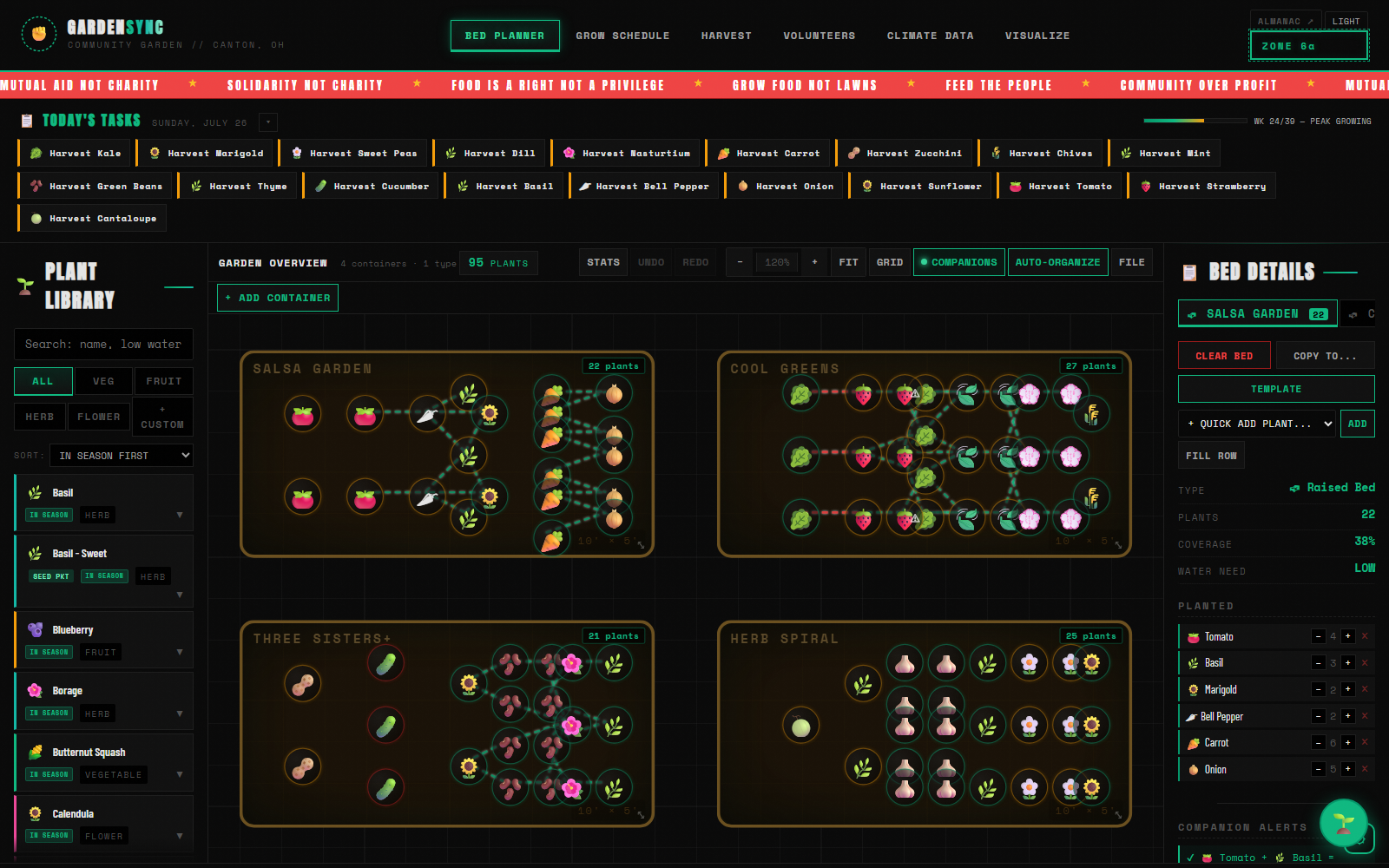
Companion-aware01 / Companion planting
Friends drawn, quarrels flagged
Every plant carries its companions and its antagonists. Place one and the threads draw themselves — dashed green between plants that help each other, red where two crops will fight.
Here tomatoes sit with basil and marigold, and carrots with onions: the classic pairings, made visible rather than remembered.
02 / The plant library
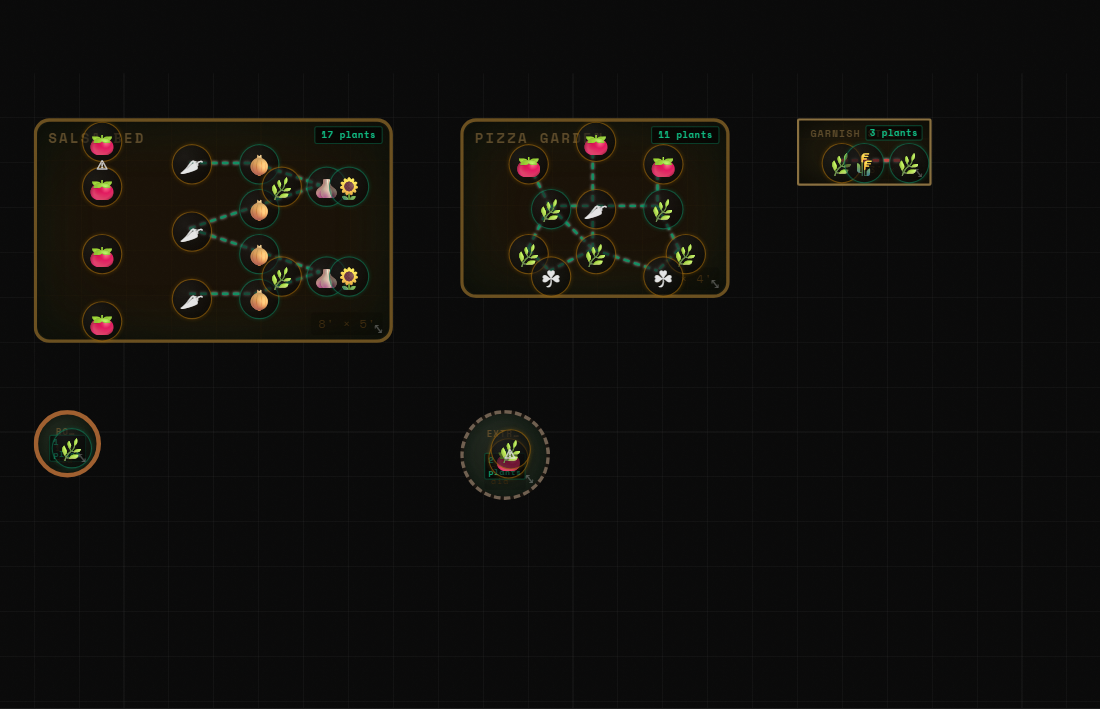
77 plants, searchable by what you need
Search by name, or by what you're after — low water, easy, companion to tomato. Filter by type, sort by what's in season now.
- Spacing, days to harvest, water and sun at a glance
- Seed-starting dates calculated from Canton's frost dates
- Care notes for the whole season
- Add your own seeds, including OCR from a photo of the packet
03 / Containers
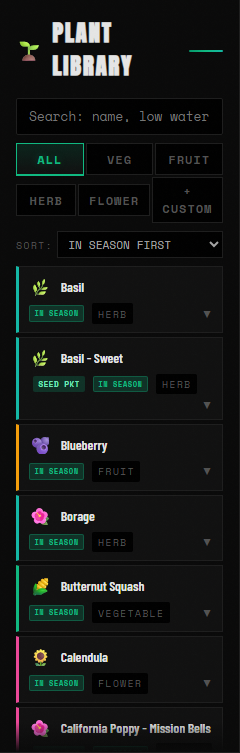
Seven kinds of ground
Not everything is a raised bed. Round pots, planters, grow bags, window boxes, potato towers and in-ground mounds each have their own footprint and their own rules about what will be happy in them.
Mix them freely — the square-foot maths follows the vessel.
04 / Reading the garden
What the plan adds up to
A stats strip totals the garden the moment anything changes: plants, varieties, beds in use, average coverage, how many companion pairings you've managed, how many conflicts remain, water demand, and days to first harvest.
Today's Tasks sits above it all — what to sow, transplant and pick this week, with the season's progress bar running February 15 to November 15, the first indoor sowing to the last of the clean-up: thirty-nine weeks.


Through the season
Zone 6a05 / Grow schedule
The whole year as a Gantt chart
Built from what you actually planted, not a generic calendar. Colour-coded for start-indoors, transplant, direct sow and harvest, with every date calibrated to Canton's last frost of April 18 and first frost of October 28.
06 / Harvest log
Count what actually feeds people
Record every pick in pounds, per bed, with a flag for what went out to the community. Set a season goal and watch the bar fill.
- Top producer, best bed, average days between picks
- Donation rate — the number that matters for mutual aid
- Full harvest history, exportable with the garden
07 / Volunteers
A crew, not a staff roster
Assign beds to people with availability levels, and let the weekly task list generate itself — water checks and weed patrol, per bed, per person.
Built for spotty availability, because mutual aid runs on real life rather than corporate schedules.
08 / Climate
Live weather, local frost
Current conditions and a 7-day forecast from Open-Meteo — no key required — with a status readout telling you whether it's an ideal growing temperature and how many days remain until first frost.
Monthly rainfall and growing-season temperature curves are drawn on canvas from Canton's climate record.
Garden Buddy
Your key, your browser09 / The assistant
Ask it to do the planting
Garden Buddy runs on Claude Sonnet 5 with ten tools — it can place plants and pull them back out, clear and organise beds, rename them, apply a template, look up a plant, and answer scheduling questions against your actual garden rather than a generic planting guide.
"Plant tomatoes in Main Veggie Bed." "Set up a Three Sisters garden." "What should I plant this time of year?"
It calls the API straight from your browser with a key you supply — nothing passes through a server of ours, and the garden state travels no further than the request you made.
The plans
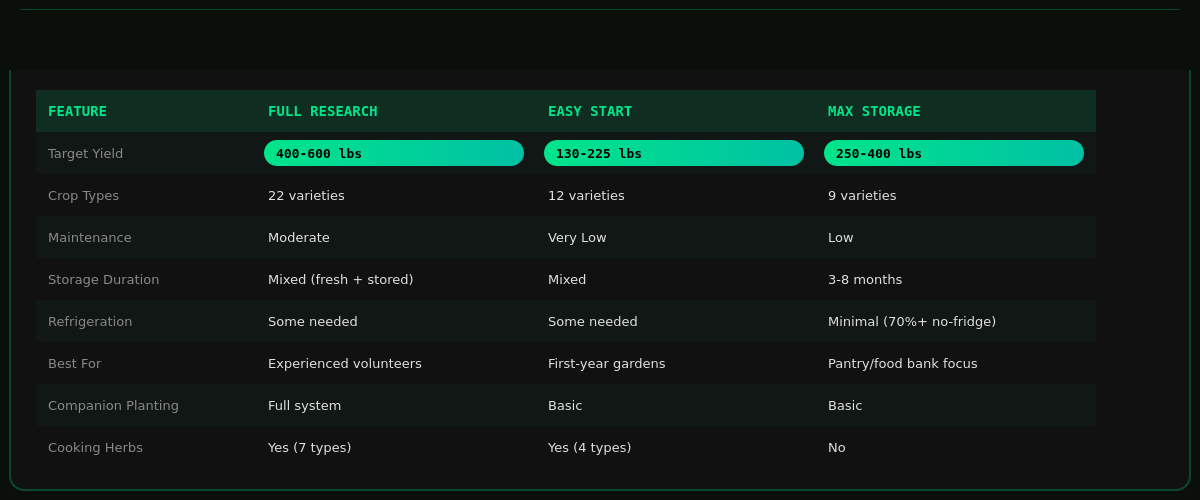
11 demos loaded| Garden | Beds | Season yield | Built for |
|---|---|---|---|
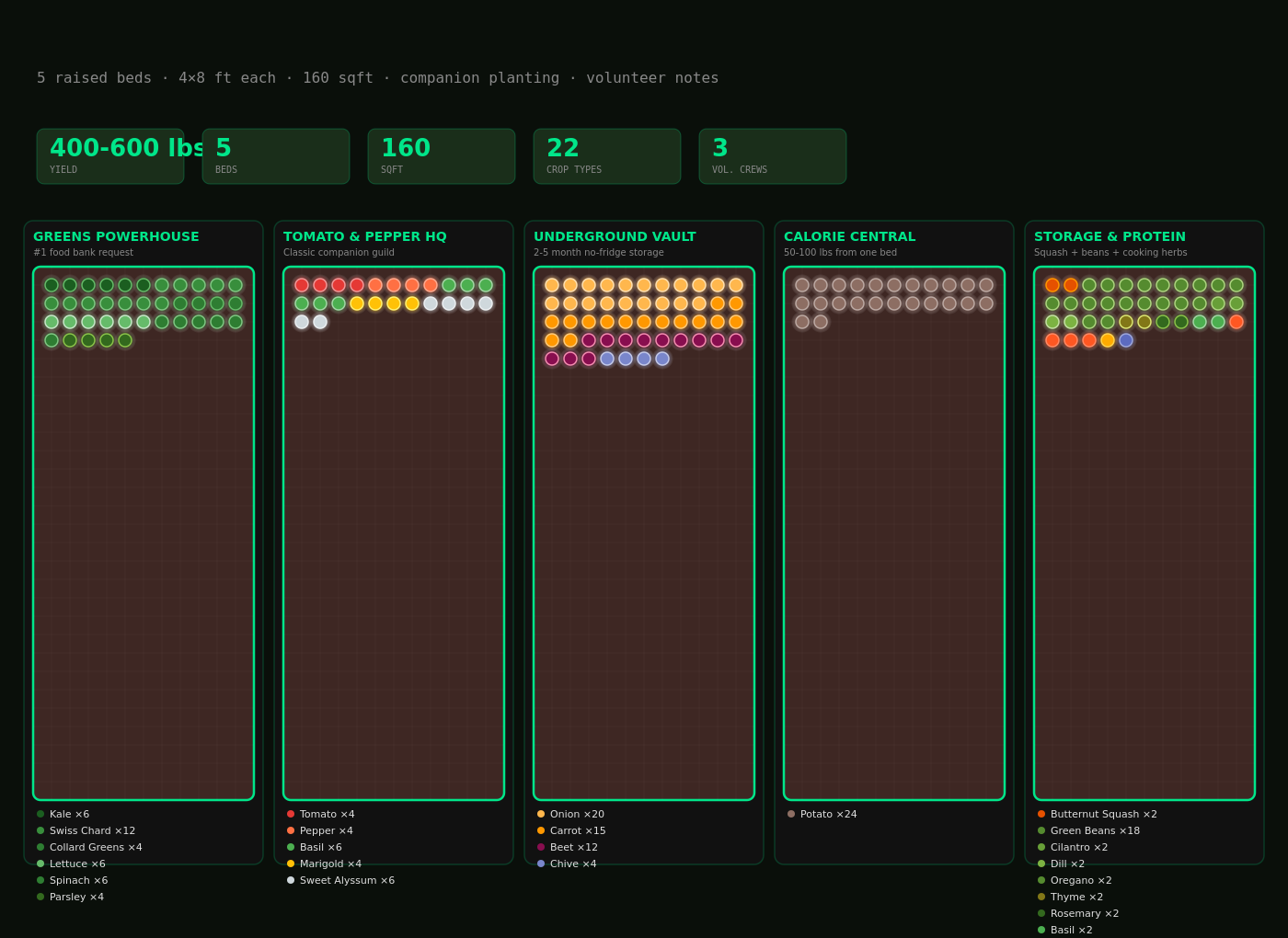
| Full Research Plan | 5 | 400–600 lbs | 175 plants across 26 distinct varieties, maximum nutritional diversity, planned around a volunteer rota |
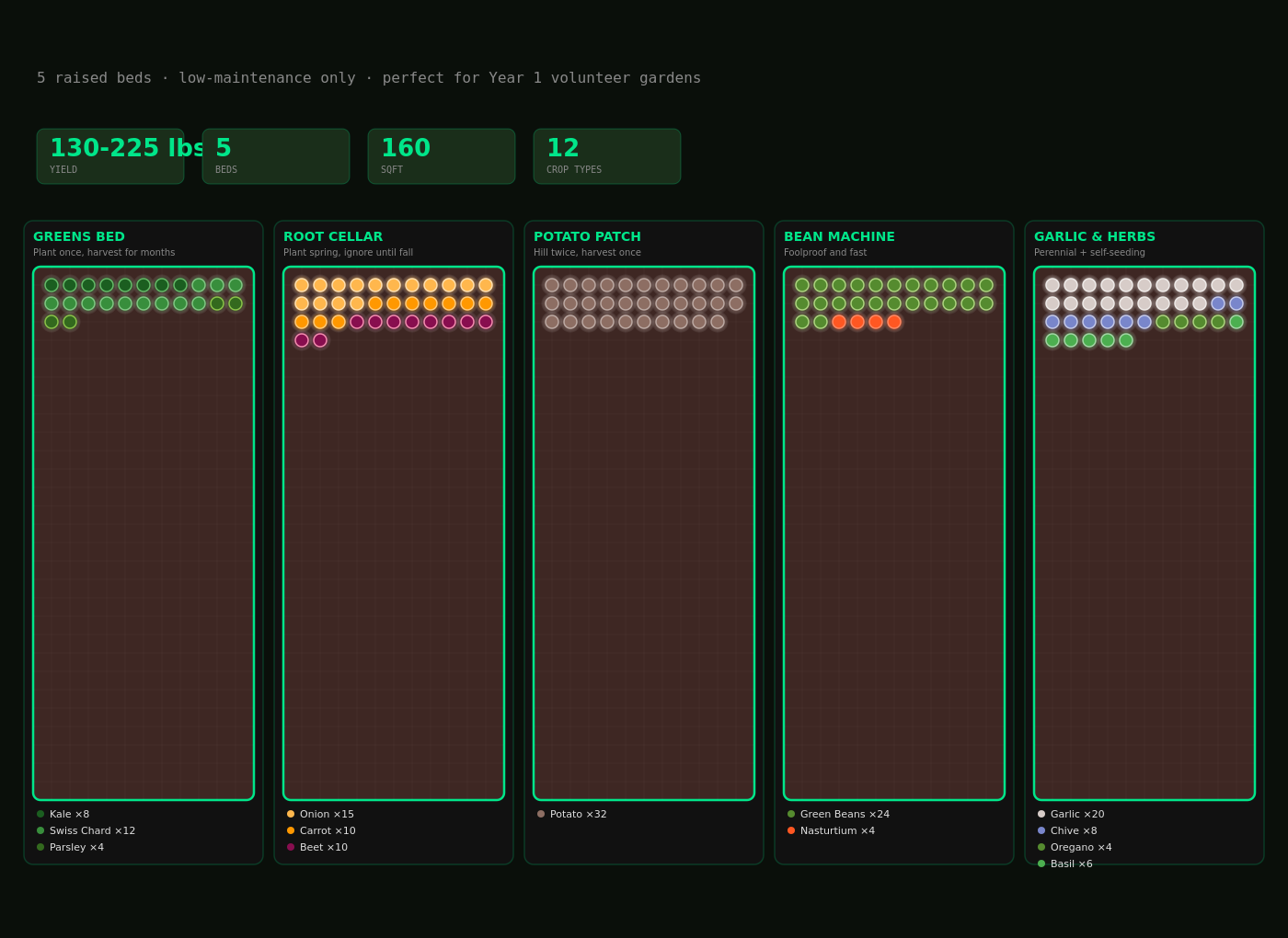
| Easy Start | 5 | 130–225 lbs | Year one — low-maintenance crops only, minimal inputs, hard to get wrong |
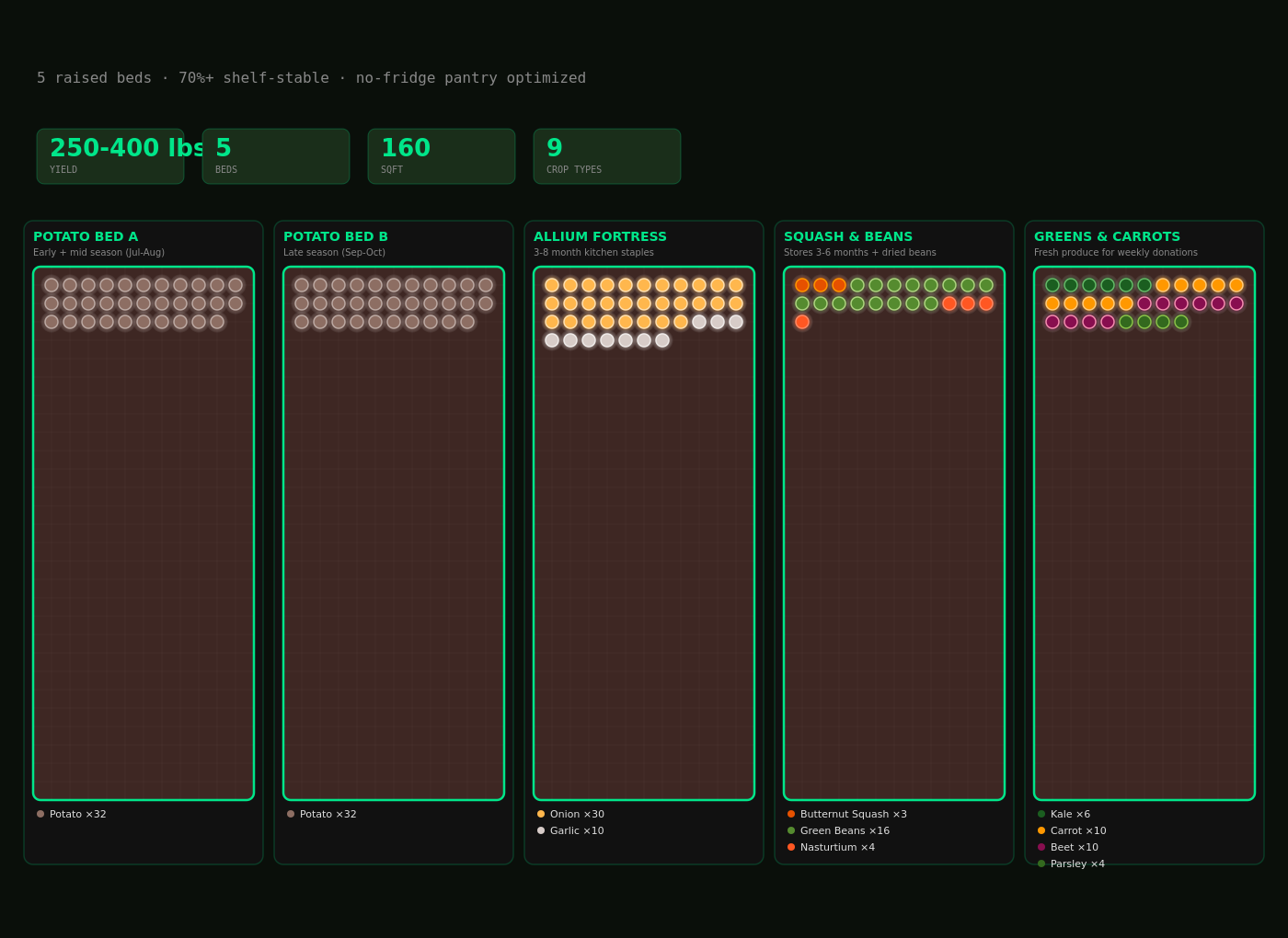
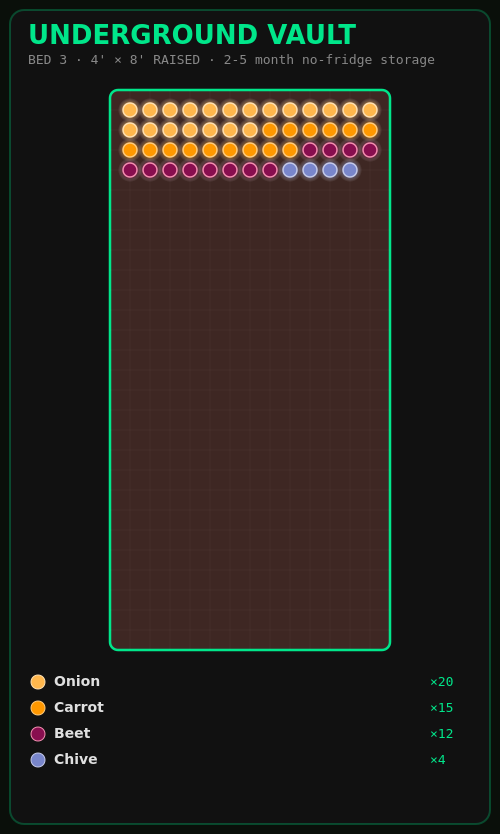
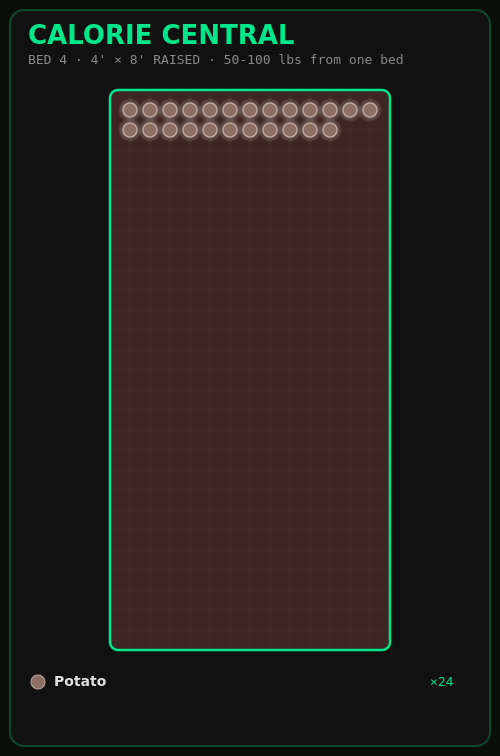
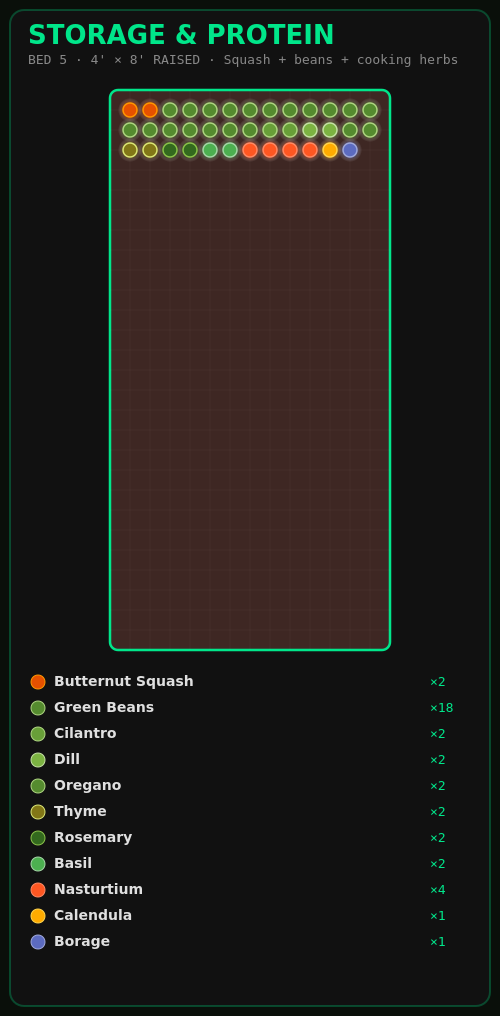
| Max Storage | 5 | 250–400 lbs | 70%+ shelf-stable: potatoes, onions, squash and beans that keep without a fridge |
| Community Classic | 4 | 95 plants | Salsa garden, cool greens, three sisters and a herb spiral, with a crew of five |
| Container Showcase | 11 | 60+ plants | Every one of the seven container types, side by side |
| Three Sisters | 4 | — | Corn, beans and squash in traditional companion mounds |
First visit
The planner opens on Easy Start rather than four empty rectangles.
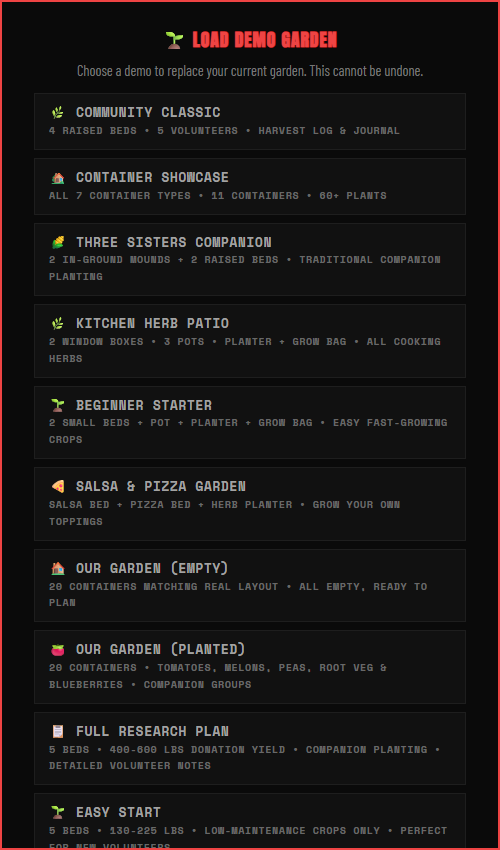
FILE ▸ LOAD DEMO GARDEN switches between all eleven;
FILE ▸ NEW GARDEN clears to a blank slate.
10 / Eleven gardens
Somewhere to start
Every demo is a complete garden — beds, plants, and where it applies a crew, a harvest log and a journal. Load one to explore the app with real data in it, or as the base for your own plot.
The three plans are the researched ones; the rest range from a two-bed beginner plot to a kitchen herb patio and a full container showcase.
11 / Light mode
For daylight, and for printing
The whole planner has a light theme — the same beds, companion threads and panels on paper-white rather than OLED black. One button in the header.
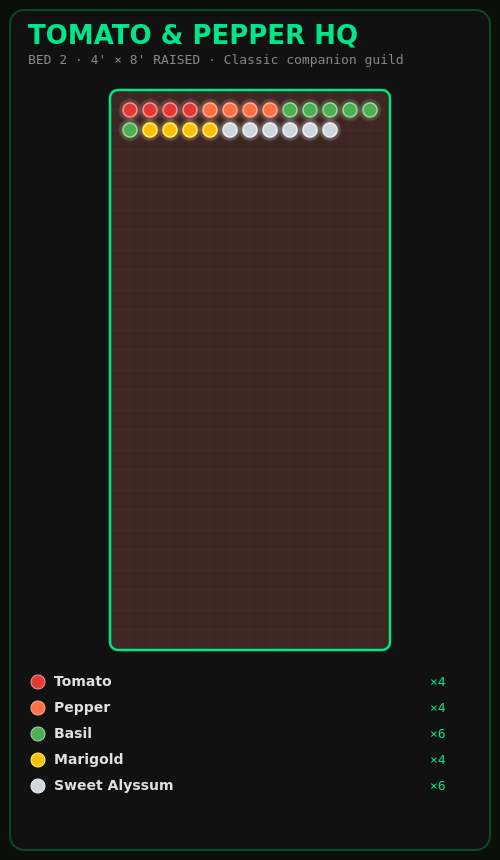
The full research plan
Bed by bed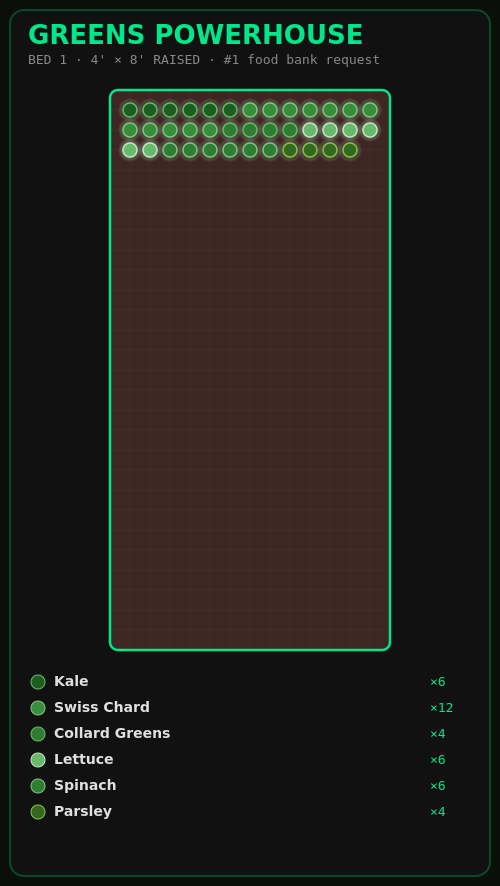
Under the hood
No build step- No tooling
-
No bundler, no framework, no npm. All 33 modules are plain
<script>tags and communicate through one shared globalstateobject. Clone it and open the file. - Rendered by hand
-
Beds and plants are ordinary DOM elements on a pan-and-zoom surface — inspect one
and you'll find a
div. The companion threads are an<svg>overlay rebuilt on every change. Only the climate curves and the PNG export touch<canvas>, and they are plotted by hand: no D3, no Chart.js. - Yours to keep
- Autosaves to localStorage, with optional Supabase cloud sync. Export JSON, save a PNG, or copy a share link that folds the entire garden into the URL. Full undo/redo.
- Offline-first
- Everything except weather, the AI features and cloud sync works with no network at all. Nothing requires you to sign in.
- AI, on your key
- Garden Buddy runs on Claude Sonnet 5 with ten tools — placing and removing plants, clearing and organising beds, answering schedule questions. It calls the API straight from your browser with a key you supply; it never touches a server of ours.
- Licence
- AGPL-3.0. If you improve it, share the improvements back. Built by and for Food Not Bombs Canton and the wider mutual-aid gardening community.
In the garden
390px and up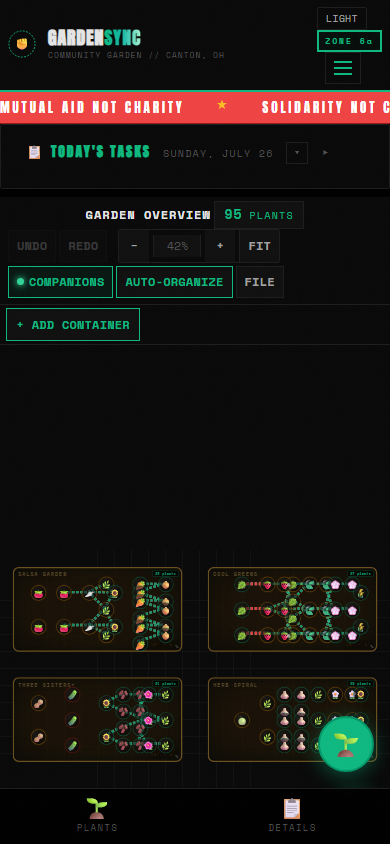
Made for standing in a bed
Responsive to 390px
Below 900px the layout collapses to a single column and the plant library and bed details become slide-up drawers, so the garden itself keeps the full width of the screen. Today's tasks stay pinned at the top — usually the only thing you need while you're actually out there with dirt on your hands.